Welcome Suica Mobile – Download Guide (iPhone & Apple Watch)
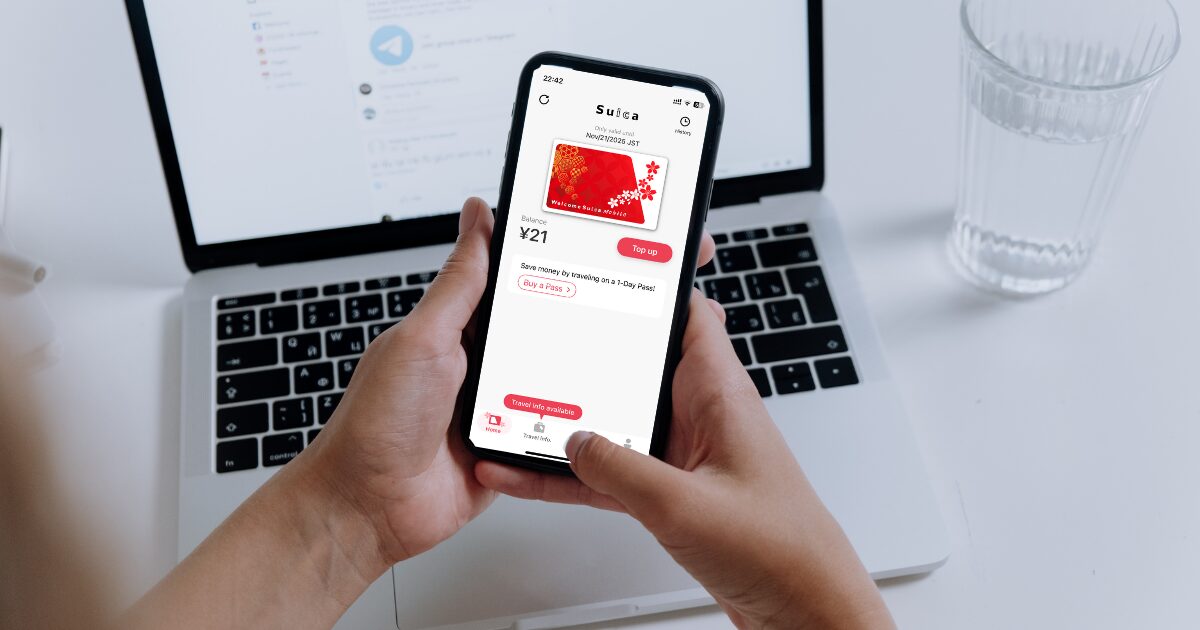
Welcome Suica Mobile is JR East’s official iOS app that lets visitors issue and top up a Suica on their phone—no ticket machines needed.
It launched on March 6, 2025 and is designed specifically for overseas visitors. Below is the simplest, verified way to download and set it up before or after you land in Japan.
Japan Trails Newletter

Welcome Suica Mobile download – what you need first
Before you download, make sure your device is supported.
Welcome Suica Mobile currently targets Apple devices and JR East’s documentation explicitly describes it as an iOS app.
Android availability has not been announced by JR East as of August 2025.
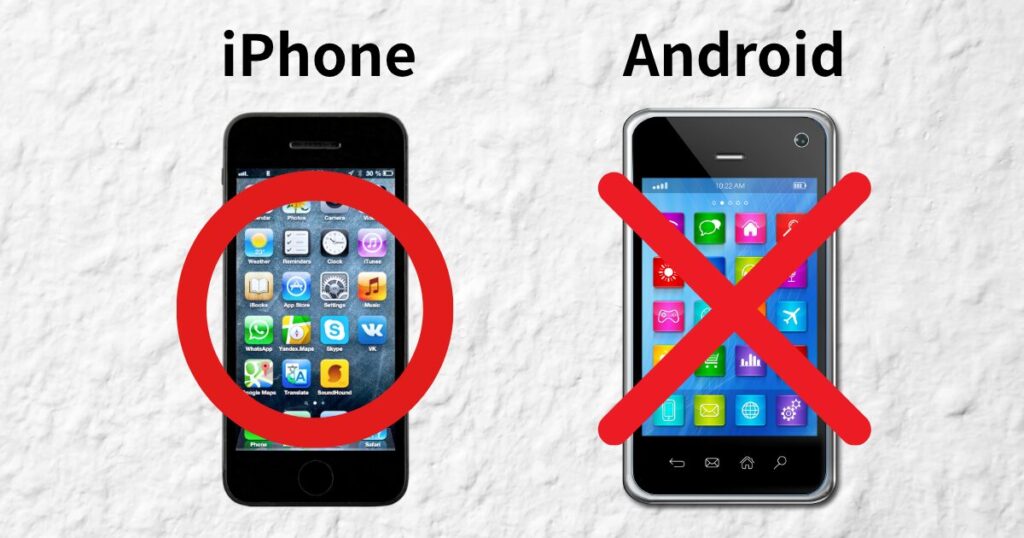
Device & OS requirements
JR East lists iPhone XR/XS or later (iOS 17.2+) and Apple Watch Series 3 or later as compatible.
Keeping iOS updated is recommended for smooth use.

Welcome Suica Mobile download – where it’s available
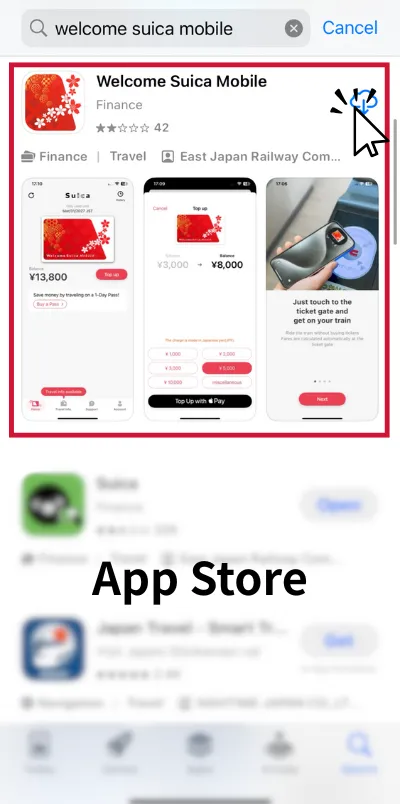
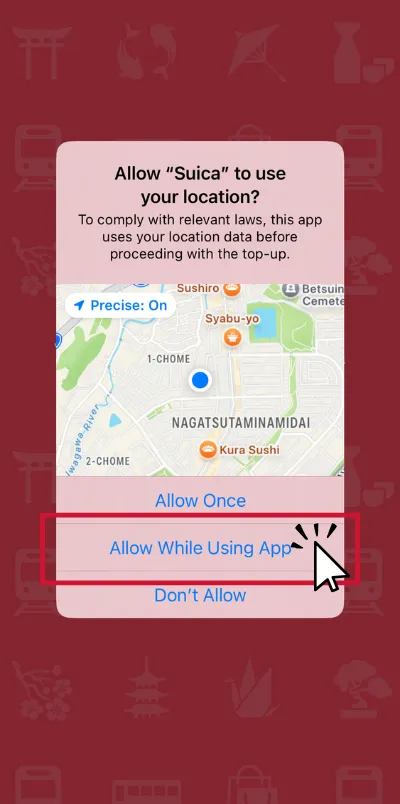
You can download the app from the App Store. If you can’t issue (create) a Suica before you arrive, that’s usually due to local regulations; just finish issuance in Japan. Location Services must be ON to issue and top up in the app.
Countries that can issue before arrival
As of March 6, 2025, pre‑arrival issuance is enabled in South Korea, Taiwan, Malaysia, Singapore, Australia, and Vietnam.
If your country isn’t listed, install the app now and complete issuance after arriving in Japan.

How to download Welcome Suica Mobile on iPhone
Downloading is quick; initial setup takes just a minute.
After installing, the app guides you to create your Suica and add money so you’re ready to tap through gates immediately.
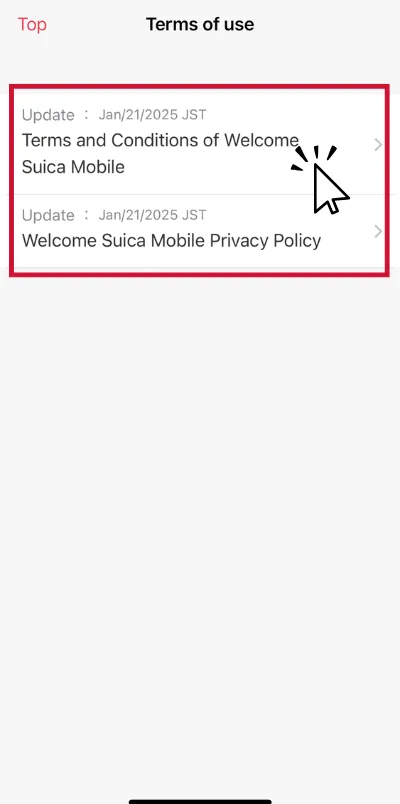
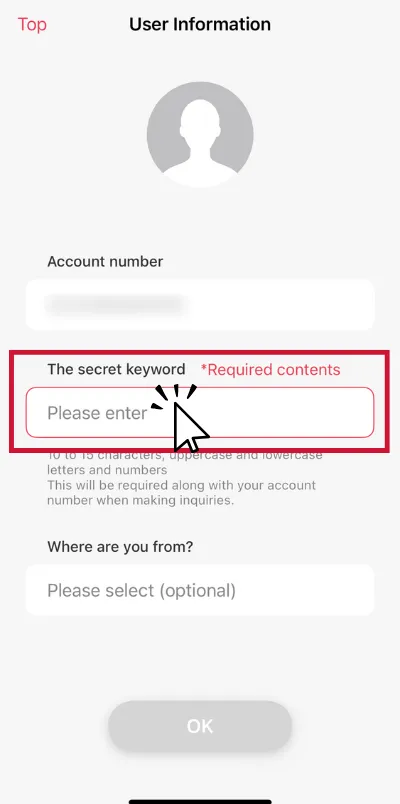
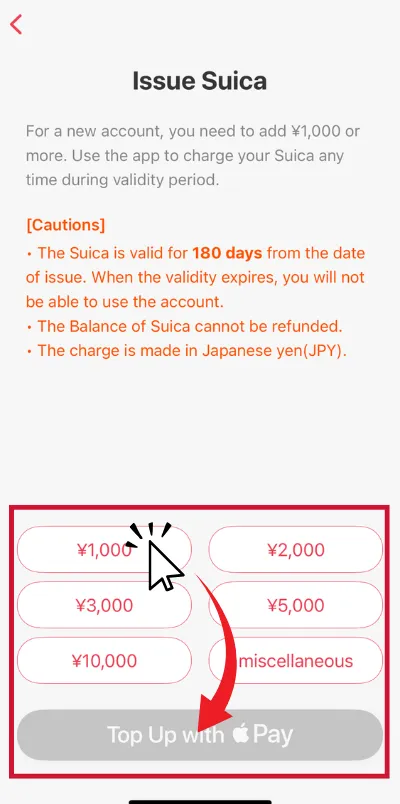
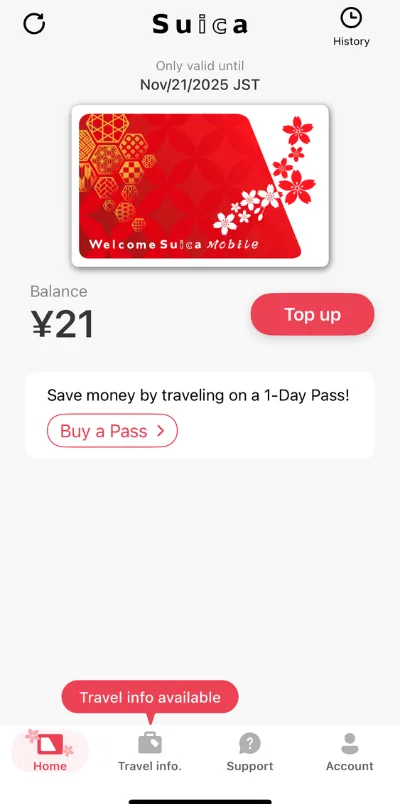
Step‑by‑step Guide (iPhone)
>>> Proceed “Express Transit” Section
Welcome Suica Mobile download – set up on Apple Watch
You can use Suica on Apple Watch for hands‑free tapping.
Add your Suica to Apple Watch from the iPhone’s Watch app, then enable Express Mode on the watch if you like.
Add Suica to Apple Watch
On iPhone, open Watch app → My Watch → Wallet & Apple Pay → Add Card, then choose Transit Card and follow the prompts; or move an existing Suica to the watch.
Welcome Suica Mobile download – if you can’t find the app or issue a card
In some regions you may see the app but can’t issue/top up until you’re in Japan. This is expected due to local rules.
Turn on Location Services and try again after arrival.
As an alternative on iPhone, you can also add a standard Suica directly in Apple Wallet (outside the app) and use it across Japan.
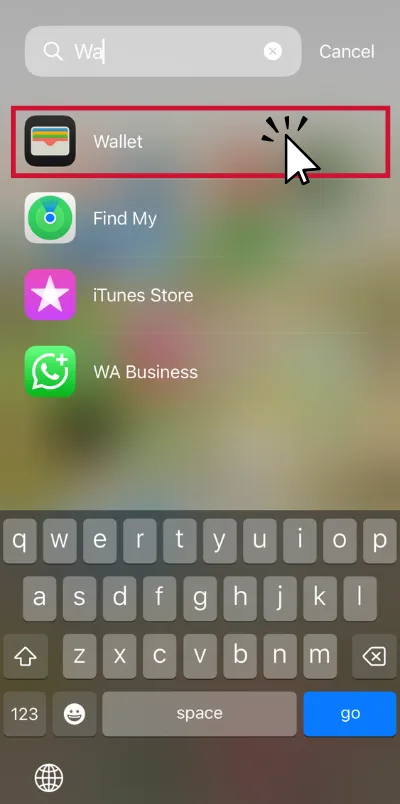
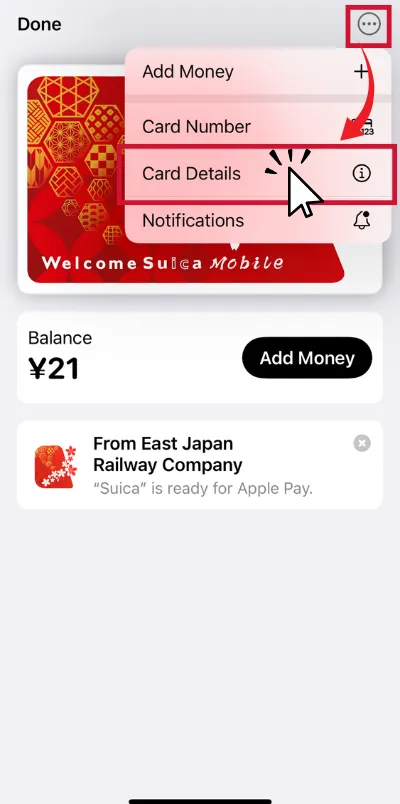
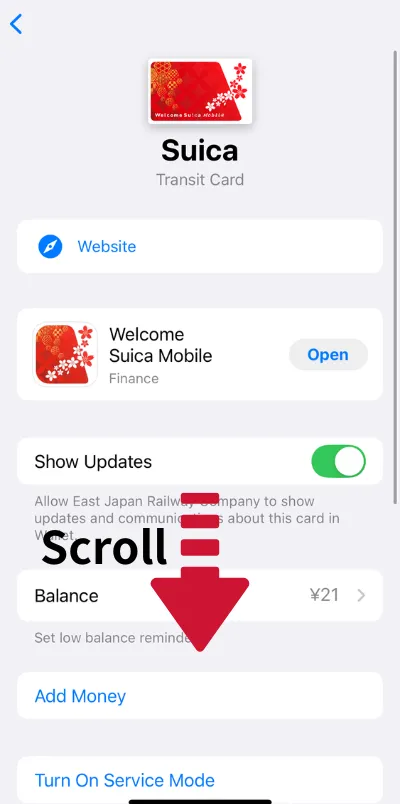
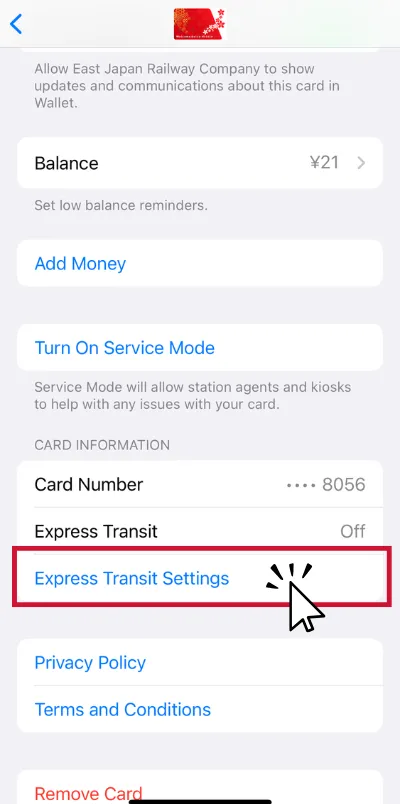
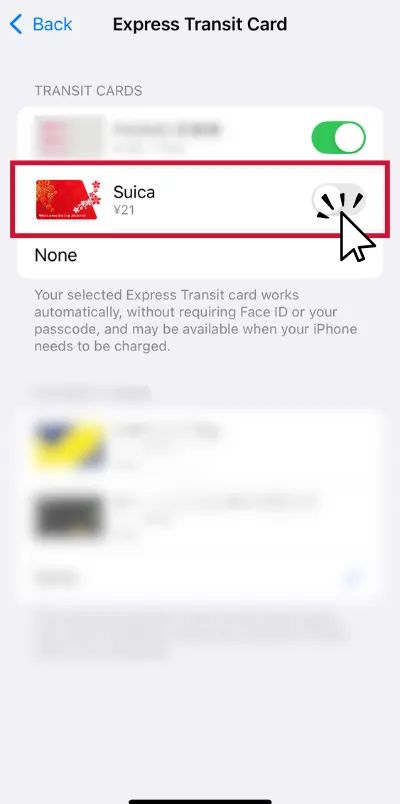
Welcome Suica Mobile download – add Express Transit
Setting Express Transit lets you breeze through ticket gates without unlocking your phone.
You’ll still authenticate for most in‑store payments.
Turn on Express Transit
FAQ – Welcome Suica Mobile Download & Setup
- Can I download Welcome Suica Mobile before I arrive in Japan?
-
Yes, but pre-arrival issuance is only possible in specific countries: South Korea, Taiwan, Malaysia, Singapore, Australia, and Vietnam (as of March 2025). If your country isn’t listed, you can install the app now and issue your Suica after arriving in Japan.
- Is there an Android version of Welcome Suica Mobile?
-
Currently, JR East provides Welcome Suica Mobile as an iOS app for iPhone and Apple Watch. There is no official Android version at the moment.
- Do I need to enable Location Services to use the app?
-
Yes. Location Services must be turned on for issuing and topping up your Welcome Suica Mobile. Without it, those features will not work.
- Can I use the app without a Japanese credit card?
-
Yes. You can top up your Welcome Suica using Apple Pay with international credit or debit cards, as long as they are supported in Apple Wallet.
- What happens if I forget my “secret keyword”?
-
The secret keyword is used for identity verification within the app. If you forget it, JR East cannot reset or recover it, so make sure to store it safely.
- Do I still need to unlock my phone at ticket gates?
-
If you enable Express Transit in Wallet, you can pass through ticket gates without Face ID or Touch ID. In-store payments may still require authentication.
Final Thoughts on Welcome Suica Mobile
Welcome Suica Mobile is a game-changer for travelers who want a hassle-free way to navigate Japan’s trains, buses, and even make small purchases.
By downloading and setting it up before your trip, you can skip ticket machines, avoid language barriers, and start exploring immediately.
Whether you’re staying for a few days or a few weeks, this mobile Suica will save you time and make your journey across Japan smoother and more enjoyable.
Japan Trails Newletter
Explore Tokyo with a Local!!

We offer tailored private tours designed for small groups. Prices start from 200 USD per person, and every itinerary can be fully customized.